In this tutorial you will learn how to get page name from url in javascript. I have already written a post that teaches same thing and in asp.net. I will recommend you to get page name from url by using client side language such as javascript. Try to write as less server side code as possible because if same thing can be achieved through client side language javascript then there is no need to write server side code and put burden on server. Now let's have a look over how to do so
create div element dynamically by using javascript
In this tutorial you will learn how to create div element dynamically by using javascript. We will do this by utilizing the DOM features of javascript. Let's have a look over example given below
Create div element dynamically by using javascript
<html xmlns="http://www.w3.org/1999/xhtml">
<head>
<title>Create div element dynamically using javascript</title>
<style type="text/css">
.myDivClass
{
color: #999;
padding: 10px;
width: 250px;
height: 150px;
border: solid 1px #666;
}
</style>
<script type="text/javascript" language="javascript">
function CreateDivElement() {
var divElement = document.createElement("div");
divElement.id = "myDiv";
divElement.className = "myDivClass";
divElement.innerHTML = "Hello World!";
document.body.appendChild(divElement);
}
</script>
</head>
<body>
<div>
<input id="myBtn" type="button" value="Click Me" onclick="CreateDivElement();" />
</div>
</body>
</html>And if you want to want to create div element inside any other html element of page body then nothing to worry. Let's suppose we have a div in our page which id is testDiv like given below<div id="testDiv">
</div>
and you want to create div inside this testDiv. Just you have to change the last line of CreateDivElement() function from
document.body.appendChild(divElement);
to
document.getElementById('testDiv').appendChild(divElement);
and that's it. I hope you will like this tutorial.
Happy Coding, Keep Coding
Labels: javascript
Learn how to pass the variable value from asp.net code behind to javascript
In this asp.net tutorial you will learn how to pass the variable value from asp.net code behind to javascript. It is quite easy and handy. You must know how to do so because in certain cases you may have to pass value from asp.net code behind to javascript. Let's have a look over how to do so
How to pass the variable value from asp.net code behind to javascript
<html xmlns="http://www.w3.org/1999/xhtml"> <head runat="server"> <title>How to pass the variable value from asp.net code behind to javascript</title> <script type="text/javascript"> //Getting variable from asp.net code behind var myMessage = "<%=myMessageFromCodeBehind %>"; alert(myMessage); </script> </head> <body> <form id="form1" runat="server"> <div> </div> </form> </body> </html>Let's have a look over .cs side
//Declaring protected type string variable
protected string myMessageFromCodeBehind;
protected void Page_Load(object sender, EventArgs e)
{
//Assigning Value to variable
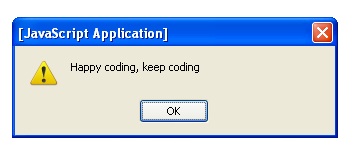
myMessageFromCodeBehind = "Happy coding, keep coding";
}
I have declared a protected type string variable myMessageFromCodeBehind in asp.net code behind, assign a value to that variable and get it on my .aspx page using javascript given belowvar myMessage = "<%=myMessageFromCodeBehind %>";
alert(myMessage);
So this is the proper way to pass the variable value from asp.net code behind to javascript.
Labels: asp.net
How to get all store procedures saved in ms sql server database
In this tutorial you will learn how to get all store procedures saved in ms sql server database. Its quite easy and simple. Just you have to do is to write and execute the following query.
How to get all store procedures saved in ms sql server database
SELECT * FROM SYS.OBJECTS WHERE TYPE ='P'
I love your feedback.
Labels: ms sql server
learn how to get random records in sql server
In this ms sql server tutorial you will learn how to get random records in sql server. Sometimes you may need to get random records from table in ms sql server database. To do this in ms sql server is quite easy. Let's have a look over example below in which i am getting five random records from visitors table located in ms sql server database.
Get random records in ms sql server
SELECT TOP 5 firstname, lastname, country FROM visitors ORDER BY NEWID()
The NEWID() system function makes a unique value of the type uniqueidentifier. There is no need to add a new column in your table to get the random records. you just have to include the NEWID() system function in the ORDER BY clause of your SELECT statement. I hope you will like this tutorial.
Labels: ms sql server
Subscribe to:
Posts (Atom)